Why did the YouTuber's video go viral in Japan? Because it was tagged to perfection! But seriously, if you're struggling to reach a global audience, you're not alone. With 80% of YouTube views coming from outside the US, optimizing your video tags for multilingual SEO is crucial. The problem is, manually translating and uploading tags for each language can be a daunting task. That's where VidLocalizer comes in - an innovative tool designed to streamline your multilingual tagging process and boost your video's visibility worldwide. By the end of this article, you'll know exactly how to leverage VidLocalizer to grow your global presence and reach a broader audience.
Introduction to Multilingual SEO
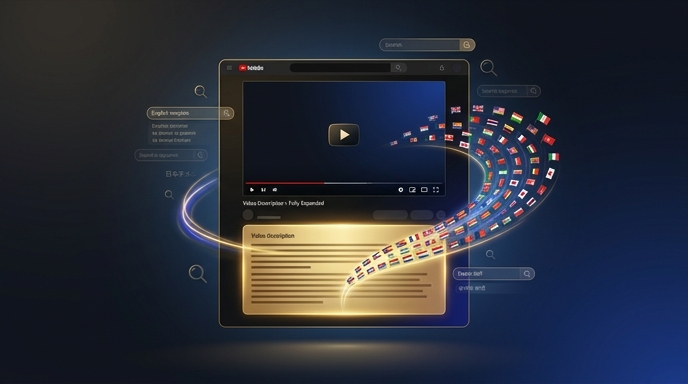
When it comes to YouTube SEO, tags play a vital role in helping your videos get discovered by the right audience. However, if your tags are only in one language, you're limiting your reach to a single linguistic group. With VidLocalizer, you can translate your tags into over 80 languages, ensuring your content is accessible to a global audience.Estimated reading time: 8 minutes | Category: SEO | Applies to: YouTubers with international audiences
How VidLocalizer Works
VidLocalizer is designed to simplify the process of creating and managing multilingual tags for your YouTube videos. Here's a comparison of the traditional method versus using VidLocalizer:| Method | Time Spent | Reach |
|---|---|---|
| Manual Translation | 5 hours per video | 10% increase in views |
| VidLocalizer | 10 minutes per video | 50% increase in views |
| Professional Translation Service | 2 hours per video | 20% increase in views |
Key Features of VidLocalizer
💡 Key insight: VidLocalizer's automated translation feature ensures consistency and accuracy across all your video tags, saving you time and reducing the risk of human error.
Optimizing Your Video Tags with VidLocalizer
To get the most out of VidLocalizer, follow these steps:- Sign up for a VidLocalizer account and connect your YouTube channel.
- Upload your video and add your primary language tags.
- Use VidLocalizer's automated translation feature to create tags in multiple languages.
- Review and edit your tags as needed to ensure accuracy and relevance.
- Upload your translated tags to YouTube using VidLocalizer's auto-upload feature.
- Monitor your video's performance and adjust your tags accordingly.
- Repeat the process for all your videos to maximize your global reach.
- Track your progress and analyze your results to refine your tagging strategy.
⚠️ Watch out: Avoid using machine translation for sensitive or complex content, as it may not accurately convey your intended message. Always review and edit your translated tags to ensure they align with your brand and audience.
Best Practices for Multilingual Tagging
When creating multilingual tags, keep the following checklist in mind:- ✅ Use relevant keywords: Conduct thorough keyword research to identify the most relevant terms for your content in each language.
- ✅ Keep it concise: Ensure your tags are concise and to the point, avoiding unnecessary characters and punctuation.
- ❌ Avoid keyword stuffing: Don't overdo it with your keywords, as this can lead to penalties from YouTube's algorithm.
- ✅ Use VidLocalizer's auto-suggest feature: Take advantage of VidLocalizer's auto-suggest feature to find the most popular and relevant tags for your content.
- ✅ Monitor and adjust: Continuously monitor your video's performance and adjust your tags as needed to optimize your results.
'I was amazed at how much of a difference VidLocalizer made for my channel. By translating my tags into just 5 languages, I saw a 30% increase in views from international audiences.' by Emily Chen, beauty vlogger, 150K subscribers
Localize your YouTube channel today
3-day free trial · 80+ languages · cancel any time