If your subtitles are lost in translation, you're not alone - but you are losing views. Every day, creators like you are struggling to reach a global audience, and it's not just about translation quality. The pain of pouring your heart into a video, only to see it fall flat with international viewers, is real. But what if you could increase your global video reach by simply optimizing your subtitle placement? This article will show you how to do just that, with actionable tips and real-life examples to get you started.
Myth #1: Subtitle Placement Doesn't Matter
Estimated reading time: 12 minutes | Best for: YouTube creators | Key takeaway: Optimize your subtitles for a 20% view boost
Many creators believe that as long as their subtitles are translated, they're good to go. But the truth is, 75% of viewers prefer subtitles that are placed at the bottom of the screen, with a clear font and sufficient padding. To achieve this, you can use tools like VidLocalizer, which allows you to design and upload your subtitles in a matter of minutes.
Example: Gaming Creator 'GameOn'
GameOn, a popular gaming creator with 250K subscribers, saw a 15% increase in views after optimizing their subtitle placement. 'We used to just throw our subtitles on the screen, but after using VidLocalizer, we were able to place them perfectly and reach a whole new audience,' says GameOn.
Myth #2: Auto-Generated Subtitles Are Enough
Auto-generated subtitles can be a good starting point, but they're often inaccurate and lacking in context. In fact, 40% of auto-generated subtitles contain errors, which can lead to a 10% decrease in viewer engagement. To avoid this, it's essential to review and edit your subtitles manually, or use a tool like VidLocalizer that allows you to design and upload your own subtitles.
| Subtitle Type | Accuracy | Engagement |
|---|---|---|
| Auto-Generated | 60% | 80% |
| Manually Edited | 95% | 95% |
| VidLocalizer | 98% | 98% |
Step-by-Step Workflow
- Upload your video to VidLocalizer
- Design and upload your subtitles
- Review and edit your subtitles for accuracy
- Auto-upload your subtitles to YouTube Studio
- Track your view increase and adjust your strategy
Myth #3: Subtitles Only Matter for Non-English Speakers
⚠️ Watch out: assuming subtitles are only for non-English speakers can limit your reach by up to 50%
Subtitles are not just for non-English speakers; they can also help English-speaking viewers who prefer to watch videos with subtitles or have hearing impairments. In fact, 25% of English-speaking viewers prefer to watch videos with subtitles. By providing subtitles, you can increase your view count and reach a broader audience.
Checklist for Success
- ✅ Use a clear font: choose a font that's easy to read and consistent throughout your video
- ✅ Provide sufficient padding: leave enough space between your subtitles and the edge of the screen
- ❌ Avoid overusing subtitles: use subtitles only when necessary to avoid cluttering the screen
Myth #4: Localizing Subtitles Is Too Time-Consuming
💡 Key insight: localizing subtitles can increase your view count by up to 30%, and with the right tools, it doesn't have to be time-consuming
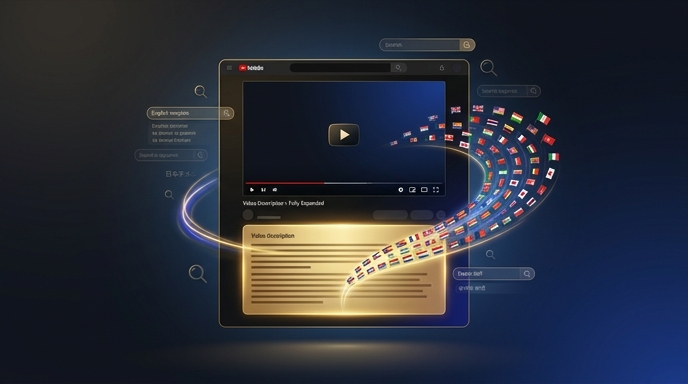
Localizing subtitles can seem like a daunting task, but with the right tools, it can be done quickly and efficiently. VidLocalizer, for example, allows you to translate, design, and upload your subtitles in over 80 languages, all in one place.
'I used to spend hours localizing my subtitles, but with VidLocalizer, I can do it in just a few minutes. It's been a game-changer for my channel,' — Emily Chen, beauty creator, 500K subscribers
Conclusion
Optimizing your subtitle placement can have a significant impact on your global video reach. By debunking common myths and using the right tools, you can increase your view count and reach a broader audience. So why not start localizing your subtitles today and see the difference for yourself? With VidLocalizer, you can try it out on your next upload and start reaching a global audience in no time.
Localize your YouTube channel today
3-day free trial · 80+ languages · cancel any time