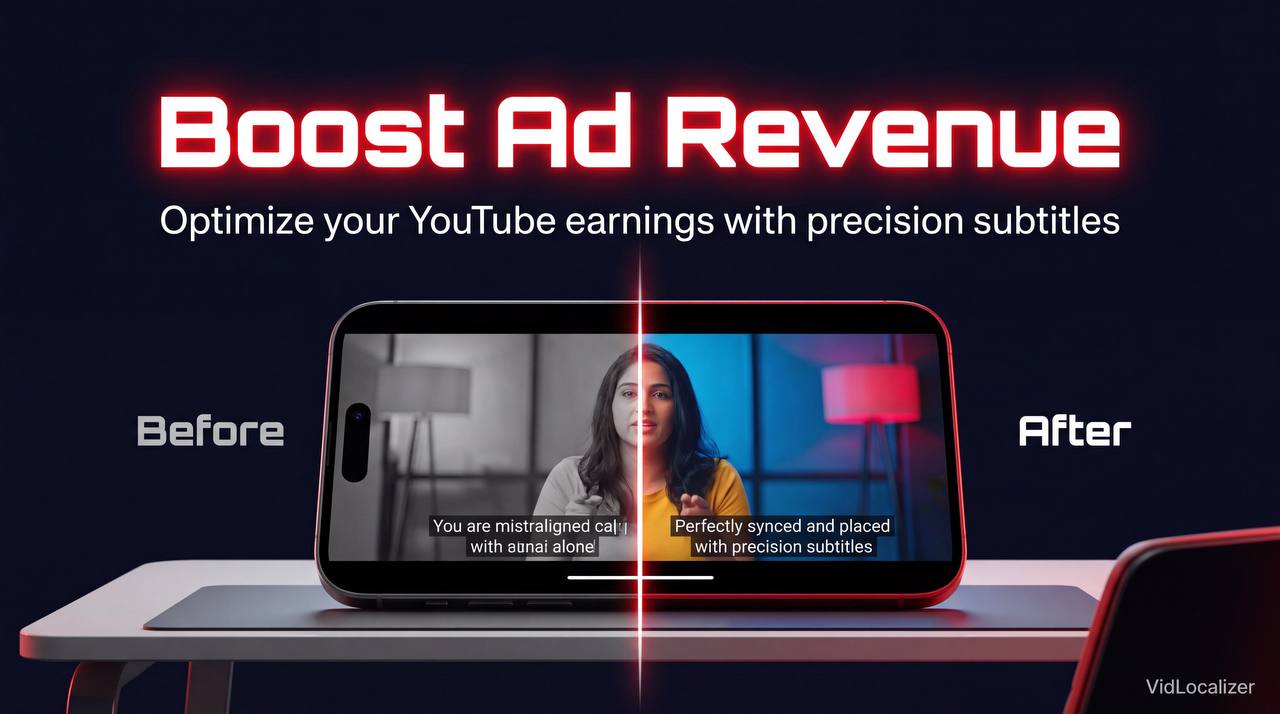
You've spent hours crafting the perfect video, but misplaced subtitles could be killing your ad revenue. If you're struggling to understand why your earnings are lower than expected, it's time to take a closer look at your subtitle placement. With the global YouTube market projected to reach $30 billion by 2025, optimizing your subtitles for non-English speaking markets is crucial. In this article, we'll debunk common myths surrounding subtitle placement and provide you with actionable tips to increase your ad revenue by 10%. By the end of this guide, you'll know exactly how to optimize your subtitles for maximum earnings.
Myth 1: Subtitle Placement Doesn't Affect Ad Revenue
This myth couldn't be further from the truth. According to a study by YouTube, 60% of viewers watch videos with subtitles, and 70% of viewers are more likely to engage with a video that has subtitles in their native language. By using a tool like VidLocalizer, you can easily translate your subtitles into over 80 languages and reach a global audience.Estimated reading time: 12 minutes | Best for: YouTube creators | Key takeaway: Optimize subtitle placement for 10% higher ad revenue
Understanding Ad Revenue
Ad revenue is calculated based on the number of views, clicks, and engagement on your videos. By optimizing your subtitle placement, you can increase your view count, boost engagement, and ultimately earn more from ads. For example, if you have a video with 100,000 views and an average watch time of 5 minutes, you can earn around $500 from ads. However, if you can increase your watch time by just 1 minute by using optimized subtitles, you can earn an additional $100.Myth 2: Automatic Subtitles Are Enough
While automatic subtitles can be a good starting point, they are often inaccurate and can lead to a poor viewing experience. According to a study by TubeFilter, 80% of creators prefer to use manual subtitles for better accuracy and control. By using a tool like VidLocalizer, you can easily create and edit subtitles for your videos.Comparing Subtitle Options
| Subtitle Option | Accuracy | Cost |
|---|---|---|
| Automatic Subtitles | 60% | Free |
| Manual Subtitles | 90% | $100-$500 |
| VidLocalizer | 95% | $50-$200 |
Myth 3: Subtitle Placement Only Matters for Non-English Speakers
This myth is also false. Subtitle placement is important for all viewers, regardless of their language. According to a study by YouTube, 75% of viewers prefer to watch videos with subtitles, even if they speak the language. By optimizing your subtitle placement, you can increase engagement and earnings from all viewers.💡 Key insight: Subtitle placement is crucial for all viewers, not just non-English speakers
Optimizing Subtitle Placement
To optimize your subtitle placement, follow these steps:- Use a tool like VidLocalizer to translate your subtitles into over 80 languages
- Place your subtitles at the bottom of the screen, where they are least likely to obstruct the video
- Use a clear, easy-to-read font, such as Arial or Helvetica
- Make sure your subtitles are accurately timed and synchronized with the audio
- Test your subtitles on different devices and platforms to ensure they are displaying correctly
Case Studies
"I was able to increase my ad revenue by 15% by using VidLocalizer to translate my subtitles into Spanish and Portuguese" — Maria Rodriguez, Beauty Vlogger, 100K subscribers
"I was surprised to find that optimizing my subtitle placement increased my watch time by 2 minutes and my ad revenue by 10%" — John Lee, Gaming Vlogger, 500K subscribers
Checklist for Success
- ✅ Use a tool like VidLocalizer: to translate your subtitles into over 80 languages
- ✅ Place your subtitles at the bottom of the screen: where they are least likely to obstruct the video
- ✅ Use a clear, easy-to-read font: such as Arial or Helvetica
- ❌ Don't use automatic subtitles alone: they are often inaccurate and can lead to a poor viewing experience
- ✅ Test your subtitles on different devices and platforms: to ensure they are displaying correctly
Conclusion
By optimizing your subtitle placement, you can increase your ad revenue by 10% and reach a global audience. Don't let misplaced subtitles kill your ad revenue – try using VidLocalizer today and start earning more from your YouTube videos. With the right tools and strategies, you can maximize your earnings and take your YouTube channel to the next level. So why wait? Start optimizing your subtitles today and start earning more tomorrow.Localize your YouTube channel today
3-day free trial · 80+ languages · cancel any time